Runs 100% in your browser — nothing is uploaded

Every document,
accepted the first time.

DocVerify Pro repairs shadowed, angled and glare-damaged photos of your documents — then exports them in the exact format, file size and resolution the agency, employer or school actually requires.

No account. No credit card. First document is free.

12 MB

USCIS file cap, hit exactly

240 KB

DS-160 visa photo cap

0

bytes sent to us

The real problem

Your document isn't wrong. Your photo is.

Portals reject uploads for reasons that have nothing to do with the document itself — and rarely tell you which one.

"File too large"

A modern phone photo is 4–8 MB. The DS-160 visa photo cap is 240 KB. Compressing by hand destroys the text.

"Document not legible"

Kitchen-light shadows, a fold across the page, flash glare over the one box that mattered.

"Wrong format"

DS-160 accepts JPEG only and rejects PNG, HEIC, GIF and TIFF. Most people find out after the deadline.

How it works

Three steps. About twenty seconds.

01

Pick where it's going

USCIS, IRS, a DS-160 visa photo, a university portal. The spec loads automatically — file cap, DPI, format, colour mode.

02

Drop the photo in

Four correction engines run on your device: shadow and colour cast removal, glare repair, perspective flattening, contrast recovery.

03

Export to the exact spec

The encoder searches quality and scale until the file lands under the cap — then shows you a checklist of every requirement it met.

Live demonstration

One bad photo. Four agency specs. Zero uploads.

initialising…

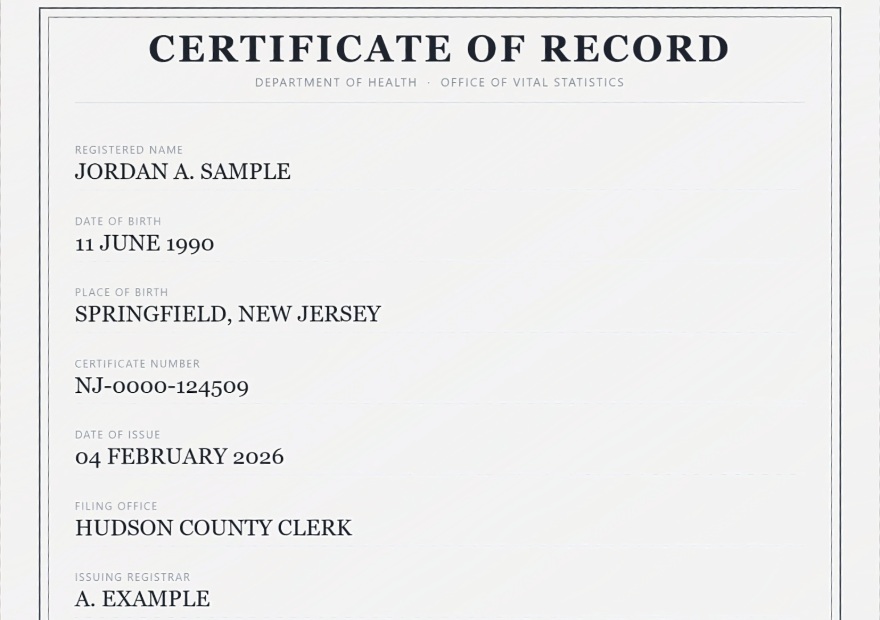
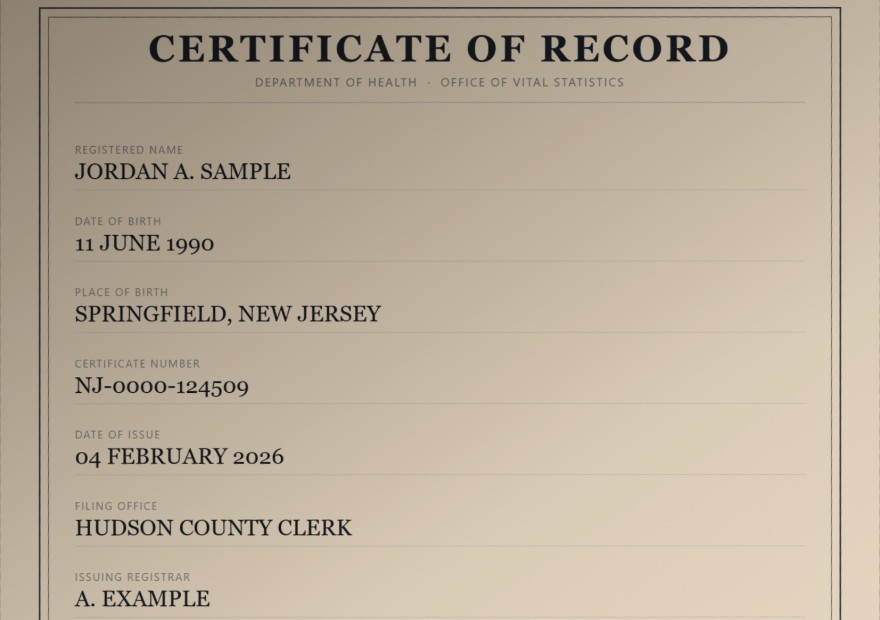
This is not a screenshot. The engine below is running in your browser right now, on a specimen ID card we deliberately photographed badly. Every number is measured, not written by us.


Phone capture · aligned view
Same sheet, aligned for comparison — the shadow, colour cast, glare and softness are untouched. Only the geometry is squared so the two panes match.
DocVerify Pro

Hover or touch to inspect at 100%

The same corrected card, re-encoded to each organisation's published limit

File sizes below are produced live by the encoder. Green means the output landed inside that organisation's cap.

Everything above happened on your device.

The specimen was drawn, damaged, repaired and encoded four times without a single byte leaving your machine.

Coverage

Built for both sides of the desk.

For you

Individuals & students

Immigration filings, visa photos, first jobs, apartment applications, university admissions.

  • ▸ Passport page
  • ▸ Driver's licence / ID
  • ▸ Visa / resident card
  • ▸ DS-160 photo
  • ▸ Diploma
  • ▸ Transcript
  • ▸ Pay stub
  • ▸ Proof of address
For teams

HR, legal, accounting & real estate

Client documents arrive as bad phone photos. Batch-fix them and file them without a scanner.

  • ▸ W-9 & I-9 onboarding
  • ▸ W-2 & 1099
  • ▸ Bank statements
  • ▸ Signed contracts
  • ▸ Leases
  • ▸ Insurance claims
  • ▸ Certifications
  • ▸ Archival TIFF

The part nobody else does

Other tools clean the image. We hit the spec.

A cleaner scan still gets rejected if it's 4 MB over the cap or saved in a format the portal refuses. Every preset carries the published requirement and the date we checked it.

Destination File cap Accepted formats Status
USCIS online filing12 MBPDF, JPG, JPEG (TIF some forms)VERIFIED
IRS Document Upload Tool15 MBJPEG, PNG, PDFVERIFIED
DS-160 visa photo240 KBJPEG only · 600–1200 px squareVERIFIED
Passport photo (renewal)54 KB – 10 MBJPG, JPEG, HEIFVERIFIED

Visa and passport photos are different specifications — mixing them up is the single most common rejection we see. Presets we haven't independently confirmed are labelled UNVERIFIED inside the app rather than presented as fact.

Security & compliance

Written for the person who has to sign off on it.

If you are evaluating this for a team that handles identity or financial documents, here is the whole data-flow picture with nothing dressed up.

DATA WE RECEIVE

Document contents

None

Processing runs in your browser. No upload endpoint exists. There is no retention window because there is no receipt.

DATA WE DO HOLD

Billing record only

Email, plan, amount and date — received from Stripe. We never see or store card numbers.

FREE-TIER COUNTER

Salted daily hash

A SHA-256 hash of your IP with a salt that rotates daily, expiring in 48h. Not a persistent identifier and not correlatable across days.

Where we stand

GDPR

Compliant. Document content is never processed by us, so our controller obligations cover the billing record only. SCCs govern transfers.

CCPA / CPRA

Compliant. We do not sell or share personal information, and collect no sensitive personal information as defined by the CPRA.

PCI DSS

Out of scope by design. Card data goes directly to Stripe, a PCI DSS Level 1 service provider. It never touches our systems.

Data residency

Not applicable to document content — it never leaves the machine it was opened on, wherever that is.

What we do NOT claim

HIPAA compliance

We are not a covered entity or business associate and do not sign BAAs. Any vendor claiming HIPAA compliance without one is misstating it. If you need a BAA, we are not your vendor.

SOC 2 / ISO 27001

No audit has been performed, so we assert no report. We will say so here the day one exists, with the auditor named.

Document authenticity checks

We do not determine whether a document is genuine, and no software can do so reliably from a photograph. We are imaging software.

Legal or immigration advice

Format presets reflect published requirements on the date shown. Confirm current rules with the receiving body.

Security questions or a vendor questionnaire? Read the full Privacy Policy — it names every sub-processor and states exactly what each one receives.

Pricing

Try it free. Subscribe to download.

See exactly what the tool does to your document before you spend anything. Downloading the finished, spec-matched file is what the subscription buys.

Free trial

$0

One document · no account, no card

  • ✓ All correction engines
  • ✓ All compliance presets
  • ✓ Full before/after preview
  • — Downloads not included
Most popular

Individual

$24.99/mo

Cancel anytime, one click

  • Unlimited documents
  • Unlimited downloads
  • ✓ PDF, JPEG, PNG & archival TIFF
  • ✓ Every agency preset

Business

$39.99/mo

For teams handling client documents

  • ✓ Everything in Individual
  • Batch queue — many at once
  • ✓ Combined multi-page PDF
  • ✓ Archival TIFF masters

Enterprise

$100.99/mo

For SaaS platforms and document-heavy operations

  • ✓ Everything in Business
  • Up to 10 people in your organisation
  • ✓ Commercial use on client documents at scale
  • ✓ Named support contact, one business day
  • ✓ Invoice billing on request

Subscriptions renew monthly until cancelled. Cancel any time from the link in your receipt — no email required.

Questions

Straight answers.

Do you ever see my passport or tax forms?+

No. Processing runs in your browser using your device's own memory and processor. Nothing is transmitted. You can verify this in your browser's Network tab, or by turning off your internet — the app keeps working.

Can this verify a document is genuine?+

No, and we will not pretend otherwise. DocVerify Pro is imaging software: it repairs and re-formats photos of documents you already hold. It makes no authenticity determination, and no software that claims to do so from a photo can be relied on.

Will my document definitely be accepted?+

We make the file meet the published technical requirements — size, format, resolution, dimensions. Whether the recipient accepts the underlying document is their decision. Agency rules also change without notice, so confirm current requirements before a deadline-critical filing.

Do I need an account?+

Never. The free tier requires nothing at all. If you buy a plan, Stripe collects your email for the receipt — that is your account. There is no password to create or forget.

How do I cancel?+

One click from the link in your Stripe receipt. No email, no phone call, no retention offer. Every plan is month-to-month with no minimum term.

Try it on the sample. Nothing to upload.

A deliberately terrible phone photo — skewed, shadowed, flash glare — fixed in front of you in under half a second.